

Build a multi-question research study with custom response types, targeted demographics, and detailed analytics. Consumer surveys give you the flexibility to ask exactly what you need — from scored evaluations to open-ended discovery.
Best for: Comprehensive audience research, brand perception studies, multi-question evaluations, concept testing with custom metrics
Quick Start
Here's how to launch your first consumer survey.
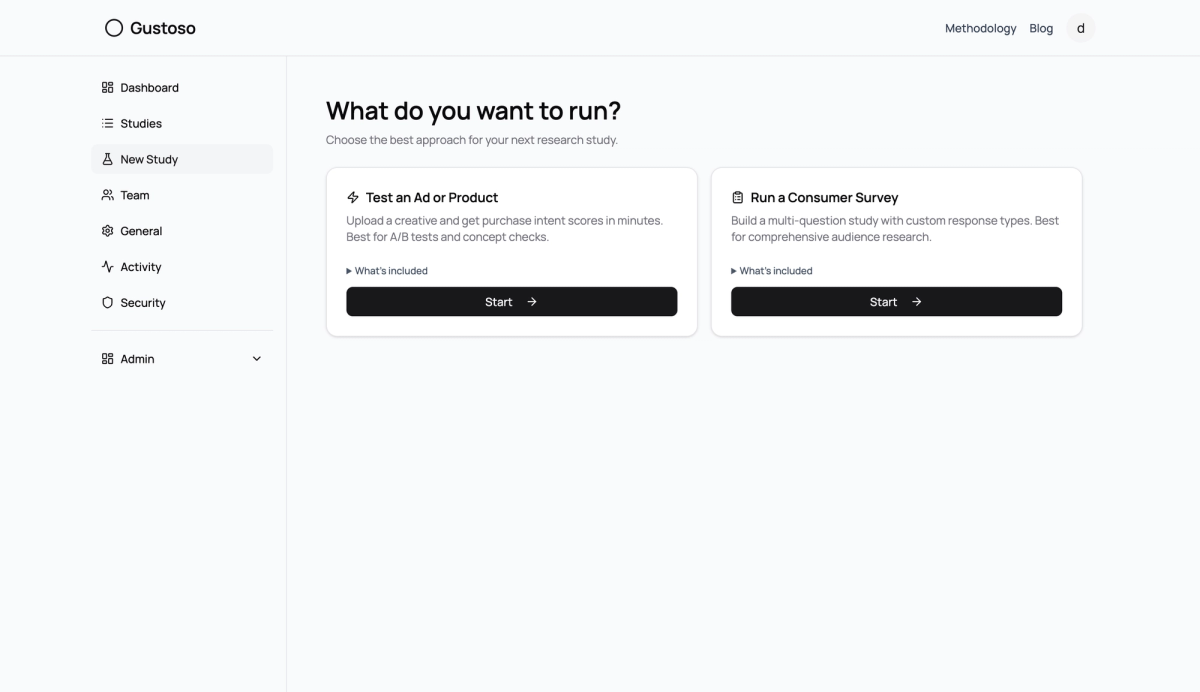
1. Choose "Run a Consumer Survey"
From your dashboard, click New Study. Select Run a Consumer Survey and hit Start.
Fig. 1
2. Name Your Study
Enter a name like "Q2 Brand Perception Survey" and optionally select a product category.
3. Build Your Questions
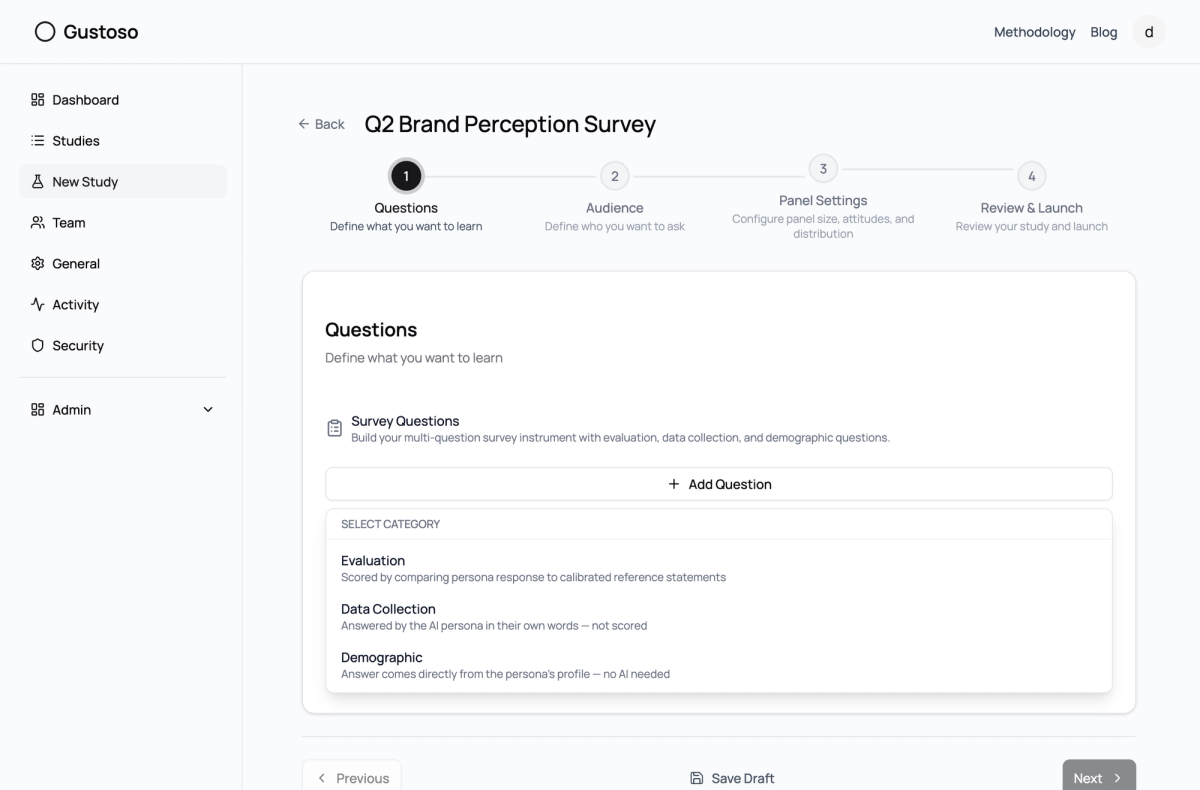
This is where surveys shine. Click Add Question and choose a category:
- Evaluation — Scored questions that measure against calibrated reference statements
- Data Collection — Open-ended or choice questions answered by AI personas (not scored)
- Demographic — Pulls answers directly from the persona's profile — no AI needed
Fig. 2
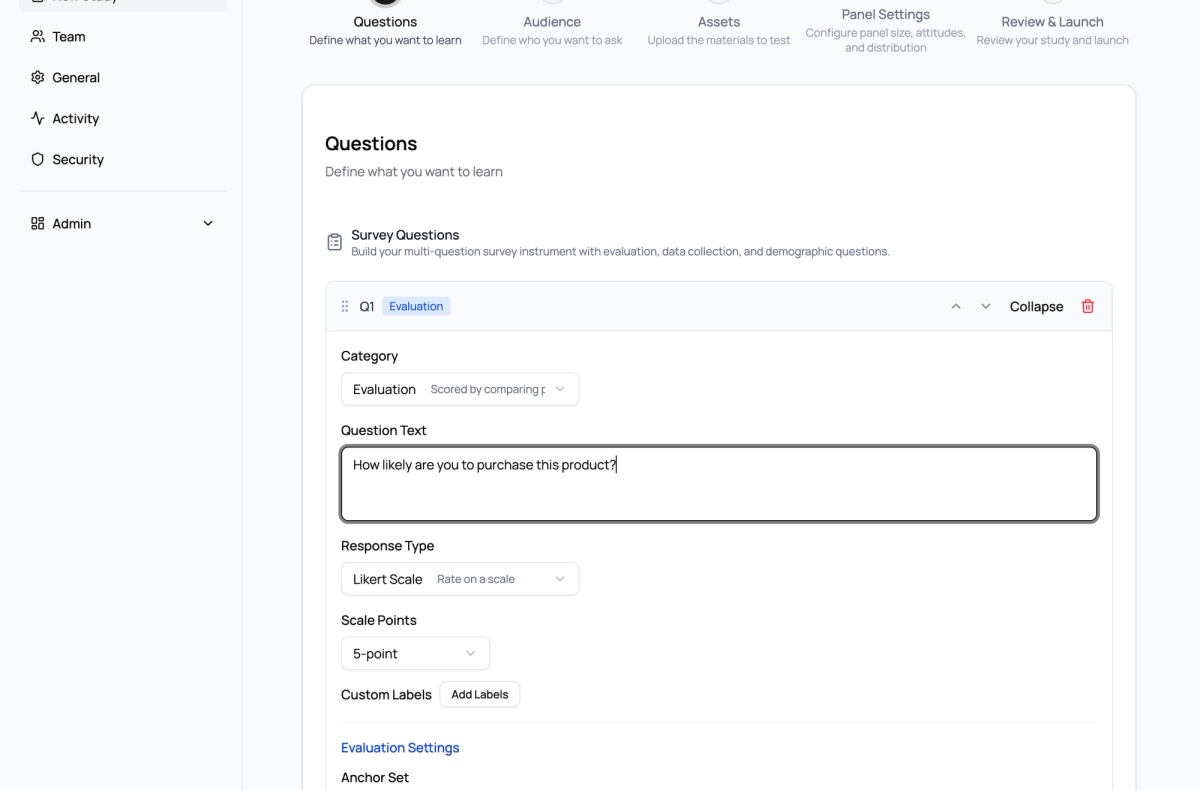
For each question, configure the response type (Likert scale, single select, multi select, open-ended, or numeric range), set evaluation anchors, and mark whether assets are required.
Fig. 3
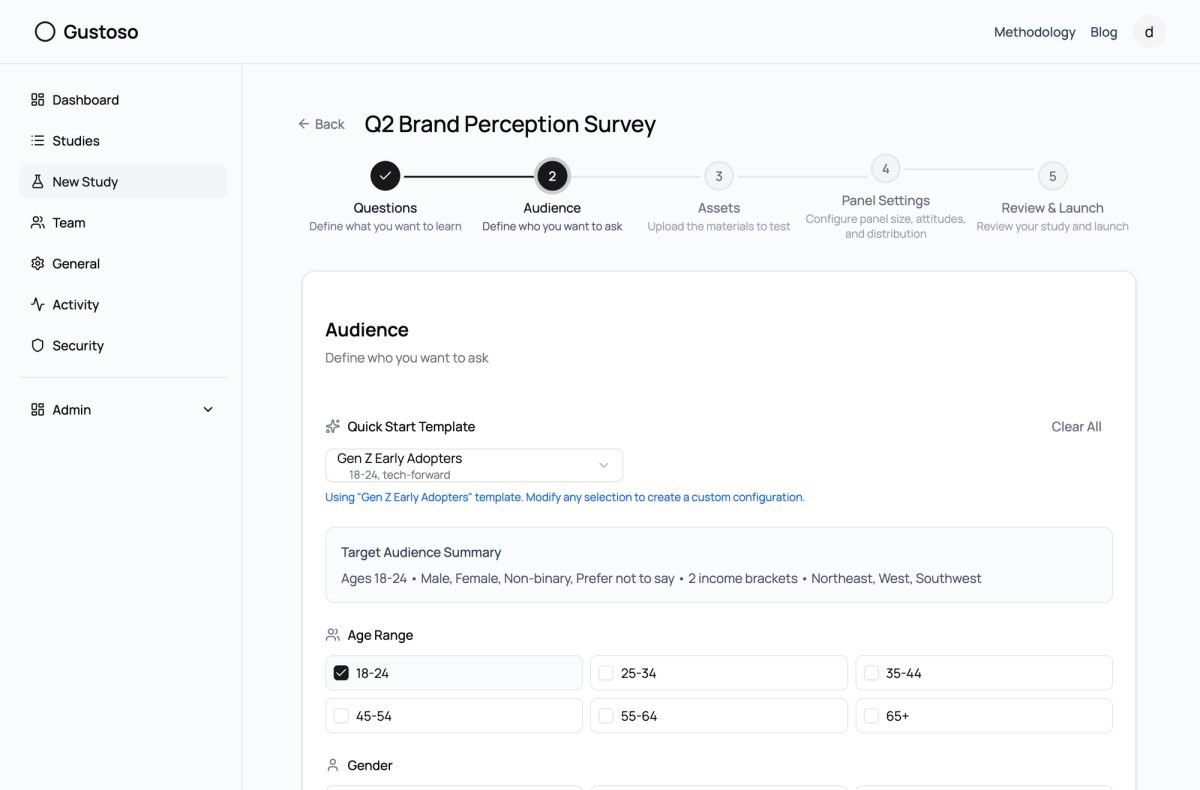
4. Define Your Audience
Pick a template or build a custom audience. For this example, we chose Gen Z Early Adopters — ages 18-24, tech-forward, with regions concentrated in the Northeast, Southwest, and West.
Fig. 4
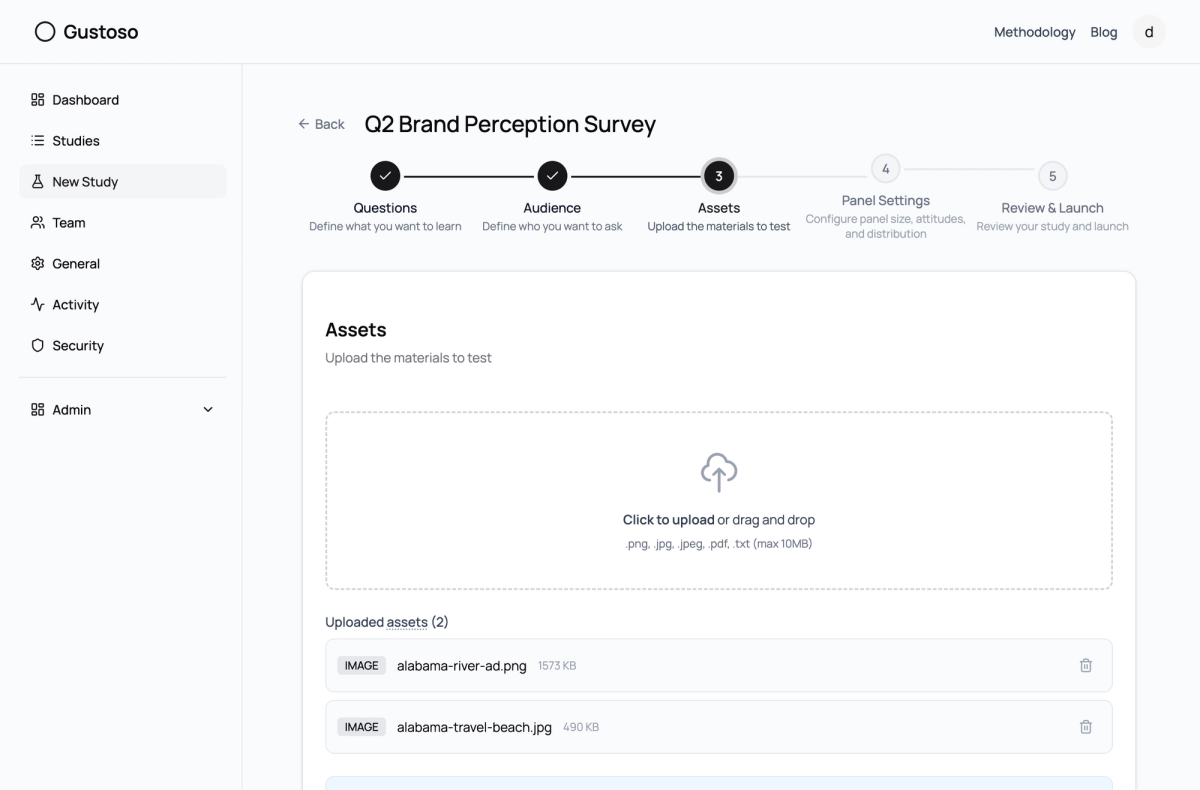
5. Upload Assets (If Needed)
If any of your questions require assets, upload them here. Drag and drop images, PDFs, or text files.
Fig. 5
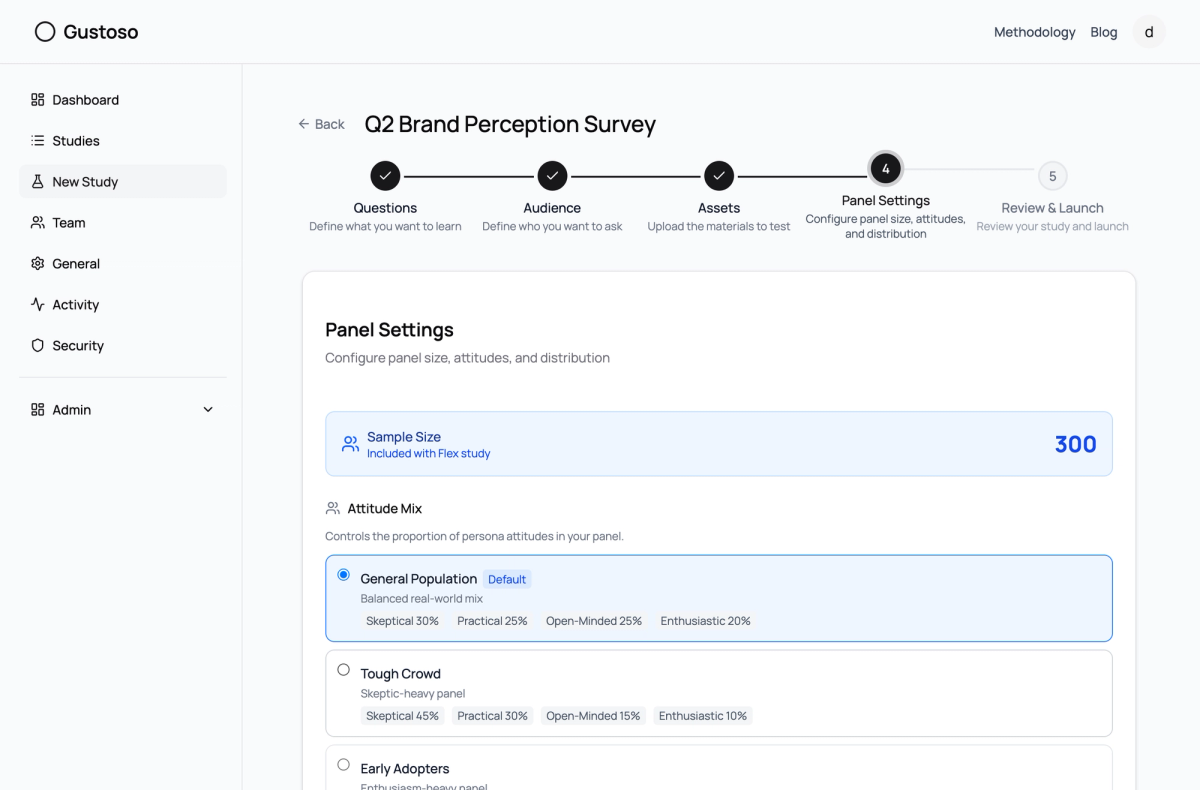
6. Set Sample Size and Review Cost
Choose your panel size. For surveys, 200 personas is a great starting point for focused research. You'll see the credit breakdown update in real time.
Fig. 6
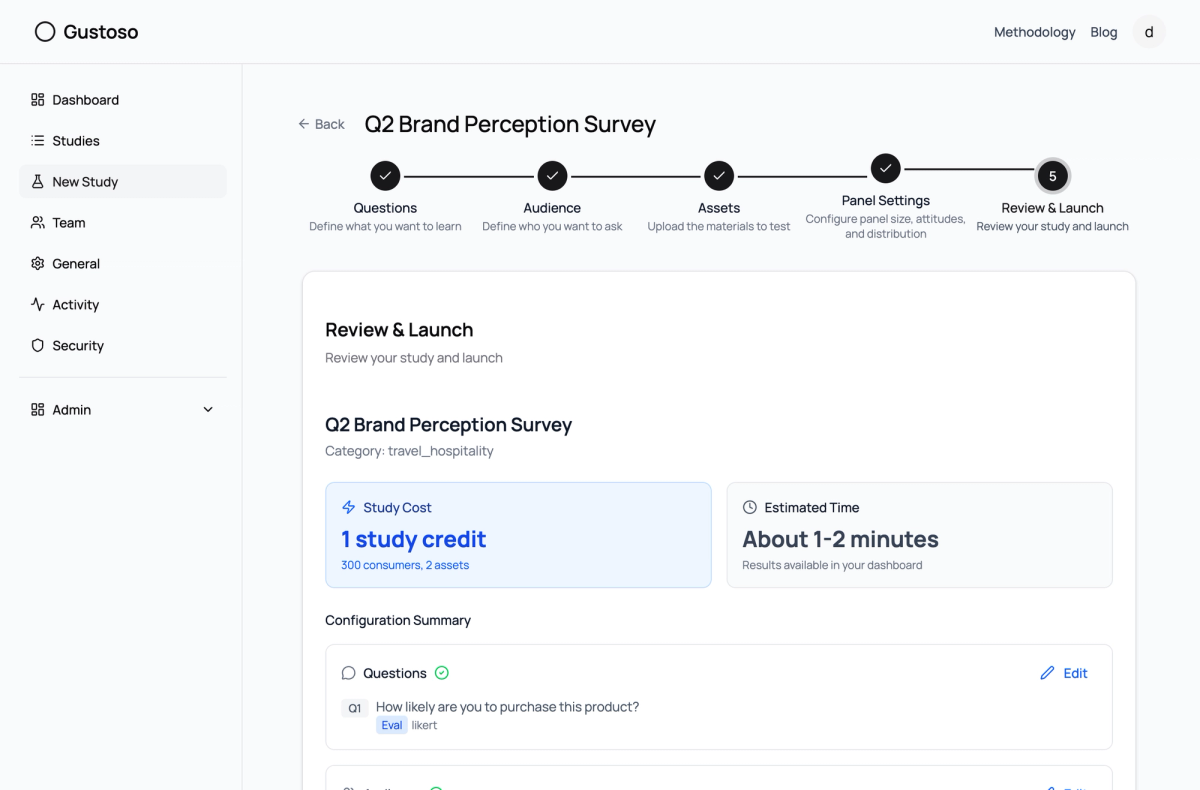
7. Review and Launch
Verify everything looks right, then launch your study. Results typically arrive in 2-5 minutes depending on the number of questions and personas.
Fig. 7
Full Detail Guide
Question Categories Explained
Evaluation questions are the powerhouse of Gustoso surveys. Each evaluation question is scored using our SSR (Semantic Similarity Rating) methodology: the AI persona writes a free-text response, which is embedded into a vector and compared against 5 calibrated anchor statements using cosine similarity. A softmax function converts similarities into a Likert distribution. This means scores reflect the semantic meaning of what the persona actually said — not just a number pick.
Anchor sets determine what you're measuring:
- Purchase Intent — From "I would never buy this" to "I would definitely buy this"
- Recommendation — From "I would never recommend" to "I would enthusiastically recommend"
- Satisfaction — From "completely dissatisfied" to "completely satisfied"
- Likelihood to Use — From "would never use" to "would use daily"
- Agreement — From "strongly disagree" to "strongly agree"
Response Types
- Likert Scale — 5 or 7-point scale. Best for quantitative comparisons. You can customize the labels.
- Single Select — Choose one option from a list. Great for preference testing.
- Multi Select — Choose multiple options. Useful for feature prioritization.
- Open-Ended — Free-text response. Captures qualitative insights and surprises.
- Numeric Range — A number within a defined range. Perfect for willingness-to-pay or frequency questions.
Advanced Features
Attitude Mix presets control the personality distribution of your panel:
- General Population — Balanced real-world mix (30% skeptical, 25% practical, 25% open-minded, 20% enthusiastic)
- Tough Crowd — Skeptic-heavy panel for stress-testing your concept
- Early Adopters — Enthusiasm-heavy for gauging early market response
- Even Split — Equal distribution across all attitudes
Qualification criteria let you add custom persona filters like "Homeowner" or "Has used competitor products." These get woven into each persona's backstory, making responses more contextually relevant.
Psychometric dimensions add personality trait scoring: Schwartz Value Dimensions (novelty, security, benevolence, achievement), Social Influence (peer attention, conformity), and custom traits like "Brand loyalty" or "Price sensitivity."
Tips for Better Surveys
- Start with 2-3 evaluation questions and 1 open-ended question. You can always add more in a follow-up study.
- Use "Revise & Run" after seeing initial results to refine your questions without starting from scratch.
- For brand perception studies, include both an emotional question (appeal/satisfaction) and a behavioral one (purchase intent/recommendation) to get the full picture.
Ready to run your first survey? Create your first study